How to Stay Connected Abroad Without a Massive Phone Bill
There are few worse post-vacation surprises than discovering that your phone quietly spent the trip generating a bill large enough to qualify as another vacation.
By Gabby Marsh on October 9, 2026
There are few worse post-vacation surprises than discovering that your phone quietly spent the trip generating a bill large enough to qualify as another vacation.
International roaming has become much easier and cheaper with many mobile providers, but the rules still vary enormously between countries, networks, and plans. Your normal data allowance may work perfectly across several destinations and then become extremely expensive the moment you cross one border.
Fortunately, staying connected abroad no longer requires choosing between disappearing from the internet and paying absurd roaming fees. With a little preparation, you can use maps, messaging, transportation apps, reservations, and social media without worrying every time your phone connects to a network.
Check your existing plan before buying anything
Start with the mobile plan you already have.
Some carriers include roaming in certain countries. Others offer daily travel passes or regional packages. Some provide a small amount of international data automatically, while others charge significantly higher rates as soon as your phone connects abroad.
Don’t assume that because roaming worked cheaply on your last trip, it will work the same way on your next one.
Coverage can depend on the specific country, your plan, and sometimes even which local network your phone connects to.
Check the details before departure, including data limits, calls, texts, and any fair-use restrictions.
You may discover that you don’t need to buy anything else.
Understand what data roaming actually does
Your phone can connect to another mobile network when you’re outside your provider’s normal coverage area.
That’s roaming.
The dangerous part is that your phone uses data constantly, even when you’re not actively scrolling.
Email can refresh. Photos may upload to the cloud. Apps can update in the background. Social media can load videos. Messaging services can download files.
If your roaming plan is expensive, all of this background activity can quietly cost money.
When you’re unsure about your international coverage, keep data roaming turned off until you know exactly what you’ll be charged.
One setting can prevent a very unpleasant bill.
Consider an eSIM
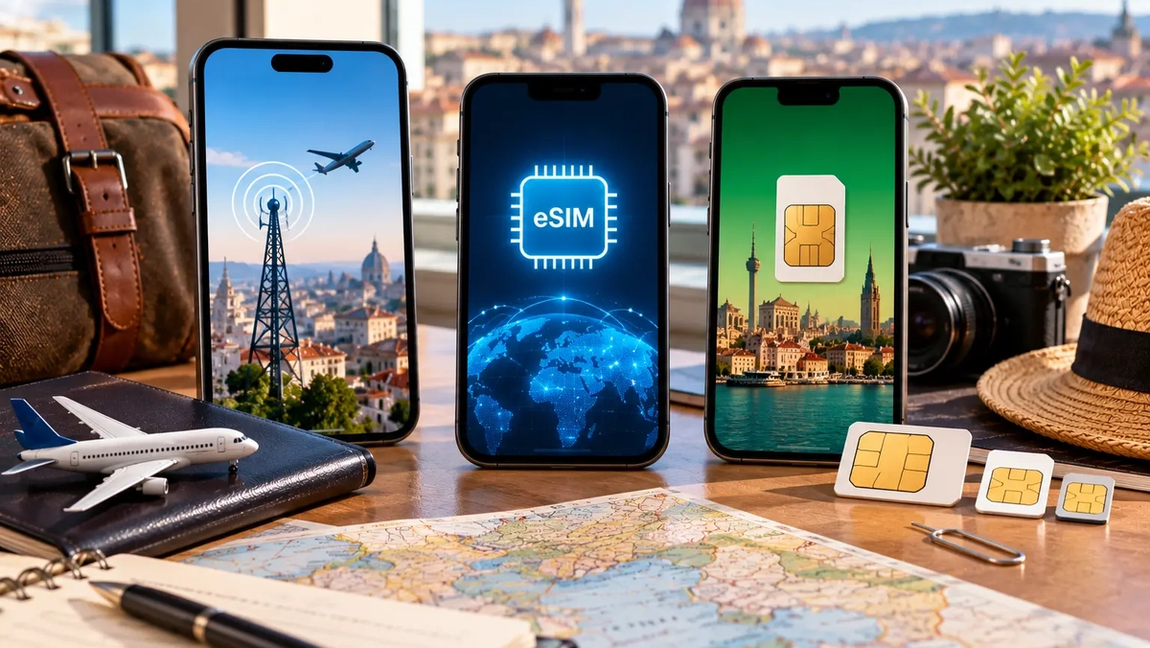
For many travelers, eSIMs have become one of the easiest ways to get mobile data abroad.
An eSIM is a digital SIM that compatible phones can install without requiring you to physically replace your regular SIM card.
You can purchase a travel data package for a country or region, install it before leaving home, and activate it when you arrive.
This is particularly convenient when you’re visiting multiple countries because some providers offer regional plans covering several destinations.
Your regular phone number can often remain active while the eSIM handles mobile data, depending on your phone and configuration.
Just check your settings carefully.
You want the travel eSIM using data, not your expensive home SIM enthusiastically roaming in the background.
A local SIM can still be the cheapest option
Travel eSIMs win on convenience.
Local SIM cards can win on price.
If you’re staying in one country for several weeks or using a large amount of data, buying a SIM from a local mobile provider may offer better value.
Local plans may also include a phone number, calls, and larger data allowances.
The downside is effort.
You may need to find a mobile shop, show identification, register the SIM, understand available plans, and physically change cards if your phone doesn’t support dual SIM functionality.
For a three-day trip, that may be unnecessary.
For a month-long stay, the savings can make the extra effort worthwhile.
Use Wi-Fi strategically
Hotels, apartments, cafés, airports, trains, and other public spaces frequently offer Wi-Fi.
Using it can dramatically reduce your mobile data consumption.
But don’t build your entire connectivity plan around always finding free Wi-Fi.
The moment you really need internet will probably be the moment the café password doesn’t work.
You may need directions after leaving a station, a verification code while paying for something, access to a reservation, or the ability to contact your accommodation.
Wi-Fi works best as a way to reduce mobile data use rather than completely replace it.
Use it for larger downloads, video calls, photo backups, and software updates.
Save your mobile data for situations where mobility actually matters.
Download your maps before leaving
Maps are one of the most important things to prepare for offline use.
Many mapping services allow you to download areas in advance.
Do it while you’re still on reliable Wi-Fi.
Download the city you’re visiting and, if you’re driving, the wider region around it.
Offline maps can still help you navigate even when your mobile connection disappears.
This is especially useful in rural areas, mountains, underground transportation systems, or places where your travel SIM has weak coverage.
Also save the location of your hotel.
Being offline is much less stressful when the little dot on your map still knows where you’re supposed to sleep.
Download entertainment too
Flights, trains, and buses are excellent places to accidentally destroy your data allowance.
Download music, podcasts, films, books, and playlists before leaving your accommodation.
Streaming video can consume enormous amounts of data compared with basic messaging or navigation.
The same applies to social media.
Watching an endless sequence of short videos over mobile data may use far more than you expect.
If your travel plan has a limited allowance, save heavy streaming for Wi-Fi.
Your vacation probably contains something more interesting than your algorithm anyway.
Stop automatic photo backups on mobile data
Travel creates photographs.
A lot of photographs.
If your phone automatically uploads every photo and video to cloud storage over mobile data, your allowance can disappear surprisingly quickly.
Check your photo backup settings before traveling.
Configure uploads to happen only on Wi-Fi if you’re working with a limited travel data plan.
The same applies to other cloud services.
Files, documents, messaging attachments, and device backups can all quietly transfer data in the background.
You want your mobile allowance going toward things you’re actually doing, not a 4K video of a sunset being automatically uploaded while you’re eating dinner.
Use messaging apps instead of traditional international calls
Internet-based messaging services make international communication dramatically easier.
WhatsApp, FaceTime, Signal, Messenger, Telegram, and similar services can handle messages and internet calls using Wi-Fi or mobile data.
This can be significantly cheaper than making traditional international calls through your home carrier.
However, remember that calling a normal telephone number isn’t necessarily the same as making an app-to-app internet call.
If you need to contact a hotel, airline, bank, rental company, or another traditional number, check what your mobile plan charges.
Sometimes a small roaming package that includes calls is worth having specifically for these situations.
Be careful near international borders
This problem catches travelers surprisingly often.
Your phone doesn’t understand political geography.
It understands radio signals.
If you’re near a border, your device may connect to a network in the neighboring country if that signal is stronger.
That can matter if the neighboring country isn’t included in your roaming plan.
The same issue can occur on ferries and cruise ships, where phones may connect to maritime networks that can have very different charges.
Pay attention to the network name when you’re moving between countries or traveling near borders.
If necessary, manually select a network or disable roaming temporarily.
Public Wi-Fi requires some common sense
Free Wi-Fi is convenient, but not every network deserves your trust.
Avoid connecting automatically to random networks simply because their names look familiar.
Confirm the correct network with the hotel, café, airport, or business when possible.
Use websites and apps that provide encrypted connections, keep your devices updated, and be cautious with sensitive activities on networks you don’t trust.
A reputable VPN can add another layer of protection in some situations, but it doesn’t make every network risk disappear.
For particularly sensitive activities, your own mobile data connection may be the simpler choice.
Keep access to important information offline
Your boarding pass shouldn’t become inaccessible because the airport Wi-Fi stopped working.
Take screenshots or save offline copies of information you may need urgently.
That can include boarding passes, train tickets, hotel addresses, booking numbers, travel insurance information, passport copies, and emergency contact details.
Don’t rely entirely on an app that requires a live connection.
The same applies to directions.
If you’re arriving somewhere late at night, save the route from the airport or station to your accommodation beforehand.
Your future exhausted self will appreciate the effort.
Don’t forget about two-factor authentication
Travel can create an unexpected problem when accounts require verification through your normal phone number.
If you’re replacing your SIM card or disabling your primary line, make sure you still have a way to receive important authentication messages when necessary.
Authenticator apps can help for services that support them.
You should also know how your dual-SIM settings work if you’re keeping your home SIM active alongside a travel SIM or eSIM.
The goal is to avoid reaching another country and discovering that accessing your bank requires a code being sent to a number you’ve temporarily disconnected.
Monitor your data instead of guessing
If your travel plan includes a fixed amount of data, check your usage occasionally.
You don’t need to become obsessed with every megabyte.
Just make sure your consumption roughly matches the length of the trip.
If you’ve used 80 percent of your allowance during the first two days of a two-week vacation, something needs adjusting.
Your phone may also allow you to see which apps are consuming the most mobile data.
Often the culprit isn’t maps or messaging.
It’s video, social media, photo backup, or an app doing something in the background.
The best setup is the one you don’t have to think about
Staying connected abroad shouldn’t require spending your vacation hunting for Wi-Fi passwords.
Before leaving, understand your home roaming plan. Compare it with a travel eSIM or local SIM. Download maps and entertainment. Adjust background data and photo backup settings. Save essential documents offline.
Then forget about it.
Your phone should help you navigate, communicate, translate, book, pay, and occasionally send everyone at home a photograph designed to make them jealous.
It shouldn’t be something you’re afraid to take out of airplane mode.
A few minutes of preparation before the trip can mean reliable internet for the entire journey without the terrifying bill waiting for you when you get home.