How to Back Up Your Travel Photos (So You Never Lose Them)
Travel photos are easy to underestimate until they’re gone. Your phone can be replaced. A damaged memory card can be replaced. You can buy another camera.
By Gabby Marsh on October 9, 2026
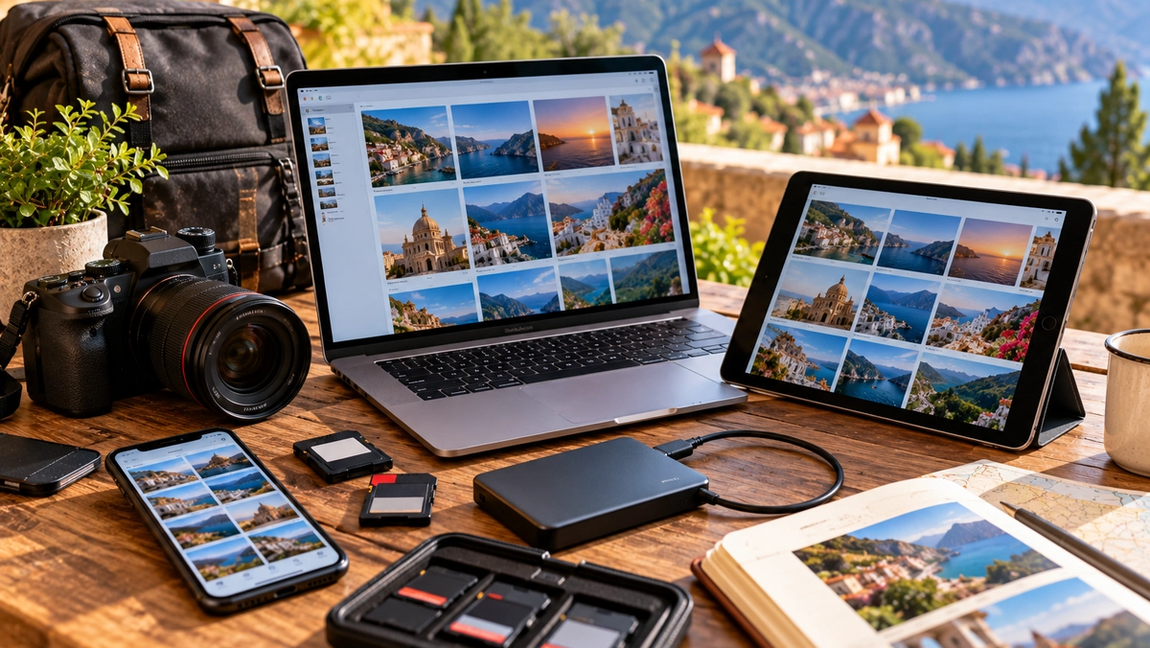
Travel photos are easy to underestimate until they’re gone.
Your phone can be replaced. A damaged memory card can be replaced. You can buy another camera.
You cannot fly back to the exact sunset you watched in Santorini, recreate the ridiculous photo your friend took in Rome, or perfectly reproduce the first morning of a trip you took ten years ago.
That’s why backing up travel photos shouldn’t be something you plan to do when you get home. Phones get lost, cameras get stolen, memory cards fail, and devices break while you’re still traveling.
The safest approach is simple: make sure your photographs exist in more than one place.
Understand that syncing isn’t always the same as backing up
This distinction matters.
Many cloud photo services automatically synchronize your photo library across devices. That’s extremely useful, but synchronization can sometimes mean that changes made on one device are reflected elsewhere.
A true backup gives you another copy that can be recovered if something happens to the original.
Ideally, your travel photographs shouldn’t exist only on your phone and one perfectly synchronized copy.
Think in terms of independent copies.
If losing one device, account, or storage location could erase everything, you don’t have enough redundancy yet.
Turn on automatic cloud photo backup
For most travelers, automatic cloud backup is the easiest first layer of protection.
Services such as iCloud Photos, Google Photos, OneDrive, and other established cloud platforms can upload photographs automatically.
Set this up before your trip.
Don’t wait until day four in another country to discover that you can’t remember your cloud password.
Check that you have enough storage available and confirm that recent photographs are actually appearing in the cloud.
If your mobile data allowance is limited, configure uploads to happen only when you’re connected to Wi-Fi.
Then your photos can back up overnight at your hotel without consuming your travel data.
Don’t assume the cloud is working
Automatic systems are wonderful because you don’t have to think about them.
That’s also why people forget to check them.
Your backup may stop because your cloud storage is full, your internet connection is poor, the app needs permission, battery-saving settings have interrupted uploads, or you accidentally changed something months ago.
Every few days during an important trip, open your photo service and confirm that recent images have uploaded.
Actually check.
Don’t simply see a cloud icon and assume everything is fine.
Five seconds of verification is easier than discovering after losing your phone that your last successful upload happened three weeks ago.
Keep an additional copy on another device
If you’re carrying a laptop or tablet, it can provide another useful backup location.
Camera users can transfer photographs from their memory cards to a computer at the end of the day.
Phone users may also be able to copy files depending on their devices and setup.
This creates an additional copy independent of the original camera or phone.
But there’s an important limitation.
If your laptop, camera, and external drive are all inside the same backpack and someone steals the backpack, your three copies effectively become zero copies.
Multiple backups are most useful when they’re not all physically located together.
Use an external drive for important trips
For photography-heavy trips, an external SSD can provide an excellent additional backup.
Modern SSDs are small, relatively durable, and capable of storing enormous photo and video libraries.
If you’re traveling with a camera, you might transfer the day’s images to your laptop and then copy them onto the external drive.
Now the photographs exist on the memory card, computer, and drive.
When practical, store the drive separately from the camera.
For example, keep your camera in your day bag while the backup drive remains secured at your accommodation.
The goal is to avoid one accident taking out every copy simultaneously.
Follow the 3-2-1 idea for photographs you really care about
A widely used backup principle is the 3-2-1 approach.
Keep three copies of important data, store them using at least two different types or locations of storage, and keep one copy somewhere separate from the others.
You don’t need to follow this perfectly every hour of your vacation.
But the principle is excellent.
Imagine you have the original photos on your phone, another copy in cloud storage, and an additional copy on a computer or external drive.
A broken phone doesn’t destroy everything.
A stolen bag doesn’t destroy everything.
A problem with one cloud account doesn’t destroy everything.
Redundancy is what protects you.
Camera users shouldn’t rely on one enormous memory card
A huge memory card sounds convenient because you can store an entire trip without changing it.
It also concentrates risk.
If that card becomes corrupted, damaged, lost, or accidentally formatted, the entire trip may be affected.
Using multiple reputable memory cards can reduce the amount of photography exposed to one failure.
Some cameras also have two card slots and can record photographs to both cards simultaneously.
If your camera supports that feature and the trip is particularly important, it’s worth considering.
Whatever system you use, don’t erase or format the original cards until you’ve confirmed that your photographs exist safely somewhere else.
Don’t delete photos immediately after transferring them
Copy first.
Verify second.
Delete much later.
After transferring photographs from a camera or phone, open several files from the new location.
Make sure they actually work.
Confirm that the number of files roughly matches what you expected.
If you’re using cloud storage, check that uploads have completed.
Only then should you consider deleting originals to free space.
A transfer progress bar reaching 100 percent is reassuring.
Actually opening the files is better.
Protect your cloud account too
A cloud backup is only useful if you can access the account.
Use a strong, unique password and enable two-factor authentication where available.
Make sure you understand how you’ll access your account if your phone is lost, particularly if that phone is also the device receiving your authentication codes.
Store recovery information securely.
This matters especially while traveling because losing a phone can create two problems at once: losing the physical device and temporarily losing access to the account containing its backup.
Plan for both.
Be selective with public Wi-Fi
Travelers often depend on hotel, airport, and café Wi-Fi to upload photographs.
That’s understandable, particularly when photo and video libraries are large.
Use networks you reasonably trust and keep your devices updated.
If the connection is extremely slow or unstable, don’t assume a partial upload means your files are safely backed up.
Let the upload finish and verify it afterward.
Large videos can take much longer than photographs.
Sometimes the easiest solution is leaving your phone connected to your hotel’s Wi-Fi and power overnight.
Videos deserve extra attention
Modern phones can record extremely large video files, especially at higher resolutions and frame rates.
You may discover that your photographs backed up successfully while several gigabytes of videos are still waiting.
Check them separately.
Videos can also consume cloud storage much faster than expected.
Before an important trip, check how much storage you have remaining.
Running out of space halfway through a once-in-a-lifetime journey is exactly the kind of avoidable problem you don’t want.
Upgrade storage temporarily if necessary or create another backup strategy before leaving.
Organize after the trip, not during every moment
Backing up is important.
Perfect organization can wait.
You don’t need to spend every evening of your vacation renaming files and creating elaborate folders.
Make sure the photographs are safe first.
When you return home, organize them properly.
Create folders by trip, year, destination, or whatever system makes sense to you. Delete obvious duplicates and accidental screenshots. Favorite the photographs you genuinely love.
Then create a long-term backup of the final collection.
Your future self is much more likely to enjoy 300 meaningful photographs than 4,700 nearly identical ones.
Print the photographs that really matter
Digital backups protect your files.
Printed photographs protect something different.
They make your memories visible.
Choose a handful of your favorite travel photographs occasionally and print them. Put them in an album, frame them, or create a photo book from an important trip.
A photograph sitting in cloud storage is safe.
A photograph you see regularly becomes part of your life.
Physical copies aren’t a replacement for digital backups, but they’re a wonderful additional form of preservation.
The best backup happens automatically
The perfect backup system isn’t the most complicated one.
It’s the one you’ll actually use.
For most travelers, that means turning on automatic cloud backup before leaving, confirming uploads throughout the trip, and keeping another copy somewhere separate for photographs that are especially important.
Camera users may add memory cards, a laptop, or an external drive. Serious photographers may build a more extensive workflow.
But everyone should follow one basic rule.
Never let the only copy of a photograph you care about live on a device you could drop, lose, break, or leave in the back of a taxi.
You may never need your backup.
That’s the goal.